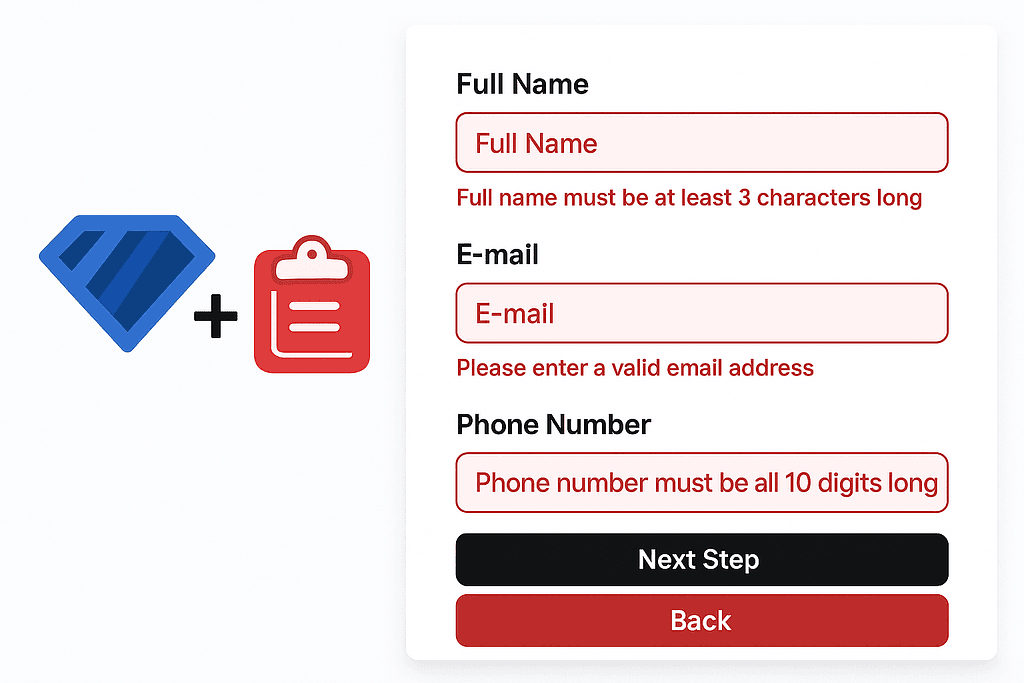
Forms let your websites and apps collect data from users. Form validation makes sure that data is complete, correct and in the expected format. By keeping invalid or incomplete data out of your system, it plays a critical role in both data consistency and security.
It also creates a better user experience by giving users instant feedback. In this post we'll look at how to build strong, type-safe form validation with React Hook Form and Zod.
🔹 What Is Zod and Why Use It?
Zod is a TypeScript-first schema validation library. It offers both compile-time and runtime validation and generates TypeScript types directly from your schemas, so you don't have to write the same type definitions twice.
Its minimal, chainable API keeps code readable and scales well to large projects. It works in plain JavaScript projects too, no TypeScript required.
In React projects, Zod is usually paired with react-hook-form. With zodResolver, your schemas plug straight into form validation and keep your forms correct and safe.
Zod schemas: A schema defines the shape and rules a piece of data must follow. All validation in Zod happens through schemas. For example, a formSchema can spell out exactly which fields valid user data must have and what each field looks like.
// validation.ts
import * as z from 'zod';

const stringSchema = z.string(); // Validates a string
const numberSchema = z.number(); // Validates a number
const booleanSchema = z.boolean(); // Validates a boolean
const dateSchema = z.date(); // Validates a date
// ...
Using Zod: z.instanceof, refine, min, max and optional
import * as z from 'zod';

export const formSchema = z.object({
  fullName: z.string().min(3, "Full name must be at least 3 characters long."),
  email: z.string().email("Please enter a valid email address."),
  phoneNumber: z.string().min(10, "Phone number must be at least 10 digits long.").max(15, "Phone number can be at most 15 digits long."),
  startDate: z.date().optional(),
  resume: z.instanceof(File).refine(file => file.type === "application/pdf", "Only PDF files are allowed."),
  acceptTerms: z.boolean().refine(val => val === true, "You must accept the terms and conditions."),
});
z.instanceof(): Checks that a value is an instance of a given class, usually to verify the type of an object.refine(): Adds custom validation rules. When the built-in checks aren't enough, you can define your own conditions and error messages.min()andmax(): Set lower and upper bounds for numbers and strings.min()ensures a value isn't below the minimum andmax()ensures it doesn't exceed the maximum.optional(): Marks a field as optional, so leaving it empty doesn't produce an error.
Zod lets you attach custom error messages to every rule, giving users clear feedback when their input is wrong.
🔁 Integrating Zod with React Hook Form
React Hook Form is a lightweight, performance-focused way to manage form state, while Zod defines strong validation rules. Used together, they make both form handling and validation very efficient.
zodResolver, from the @hookform/resolvers package, connects a Zod schema to React Hook Form. Validation then runs automatically on submit and users get instant feedback.
import { useForm } from "react-hook-form";
import { zodResolver } from "@hookform/resolvers/zod";
import { formSchema } from "@/lib/validation";
import { z } from "zod";

type PersonalInfoFormData = z.infer<typeof formSchema>;
TypeScript type inference: The line type PersonalInfoFormData = z.infer<typeof formSchema> derives a TypeScript type straight from the Zod schema. You get strong type checking that always matches the schema, with no duplicated definitions.
interface PersonalInfoProps {
  onStepSubmit: (data: PersonalInfoFormData) => void;
  onBack: () => void;
}

export default function PersonalInfoPage({ onStepSubmit }: PersonalInfoProps) {
  const form = useForm<PersonalInfoFormData>({
    resolver: zodResolver(formSchema),
    defaultValues: {
      fullName: "",
      email: "",
      phoneNumber: "",
      // Add other fields as needed
    },
  });
useForm<PersonalInfoFormData> uses the PersonalInfoFormData type derived from the Zod schema to make the form type-safe, so form data is checked both at compile time and at runtime.
resolver: zodResolver(formSchema) plugs the Zod schema into React Hook Form, so whatever users type is automatically validated against Zod's rules.
defaultValues sets the initial value of each field. That matters both for managing defaults and for supporting controlled inputs.
🧠 Building a Form Field
<Form {...form}>
  <form onSubmit={form.handleSubmit(onSubmit)} className="space-y-8">
    <FormField
      control={form.control}
      name="fullName"
      render={({ field }) => (
        <FormItem>
          <FormLabel>Full Name</FormLabel>
          <FormControl>
            <Input placeholder="Full Name" {...field} />
          </FormControl>
          <FormMessage />
        </FormItem>
      )}
    />
    {/* ... */}
Each field is controlled through React Hook Form's useForm hook and the FormField component. The validation rules come from the Zod schema, and users get feedback when the form is submitted. Zod enforces constraints like expected data types, minimum and maximum lengths and required fields for every input.
This setup keeps form data well managed, gives users clear feedback, and uses the type safety of React Hook Form and Zod to create a safer, more efficient validation experience.
🚀 Conclusion
Together, Zod and React Hook Form offer a powerful, user-friendly solution for form validation and management. In this post we covered Zod's schema validation features, how to integrate it with React Hook Form, and a few ways to make validation more efficient.
If you'd like to dig deeper, check out the multi-step form project I built with Zod and React Hook Form.
This combination simplifies validation in your projects while improving the user experience. I hope this post helps you get started with Zod and React Hook Form!
Happy coding 👨💻 🎉
Originally published in Turkish on Medium.