With Next.js 15, Server Components and Client Components have become even more common. To understand the server-client architecture better, it helps to know two basic concepts from the web world.
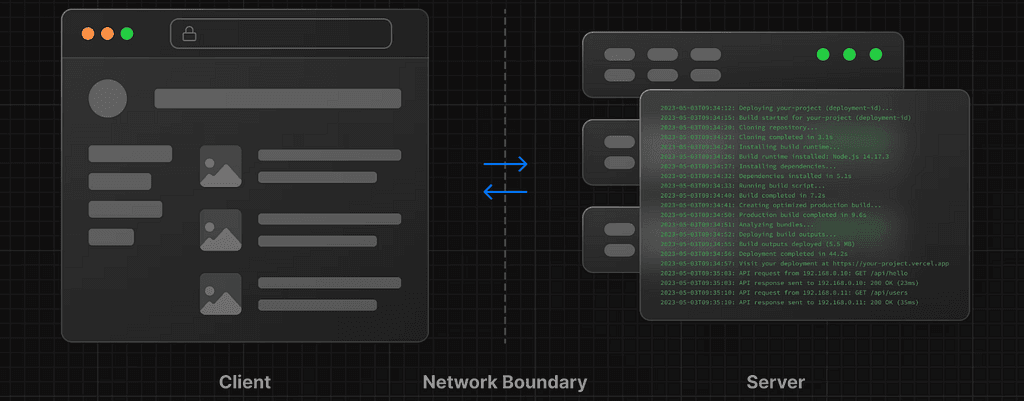
👨💻 Client Components run in the browser on the user's device. The browser requests the app code from the server and turns the response into an interactive user interface. These components run on JavaScript and are usually the choice for anything that needs user interaction or handles dynamic data.
⚙️ Server Components are server-side components where data is processed and rendering happens. The server is a computer in a data center that answers requests from the client; it hosts the app code, does the necessary work and sends the client only the finished HTML. This reduces the load on the client, speeds up page loads and makes for a more efficient user experience.
The New Default: Server Components
As of Next.js 15, Server Components are the default component type. When you create a component, React treats it as a Server Component automatically, with no extra configuration. The approach aims to improve your app's performance by running every component on the server by default.
Writing components as Server Components first avoids unnecessary client-side work and JavaScript. If a component doesn't need interactivity, it makes sense to just process the data on the server. That speeds up page loads significantly.
👆 When Do We Need Client Components?
They come in when you need client-side logic: handling user interactions, animations, forms, local state and so on.
If a component:
- needs hooks like
useState,useEffectoruseRef, - works with user interactions (click, input, hover),
- uses browser APIs (
window,localStorage,document), - handles things like form controls, theme switching or modals,
then we need to mark it as a Client Component. That's as simple as adding the 'use client' directive at the top of the file:
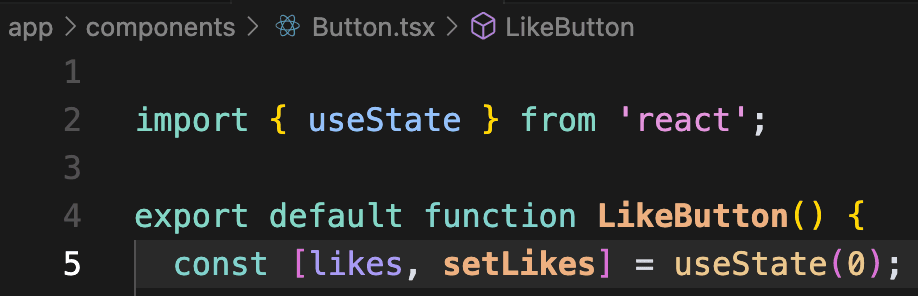
If you look at the error in the browser, Next.js is warning you that you're trying to use useState inside a Server Component. To fix it, move the interactive button into a Client Component. Adding the 'use client' directive at the top of the file tells React that the component needs to run on the client.
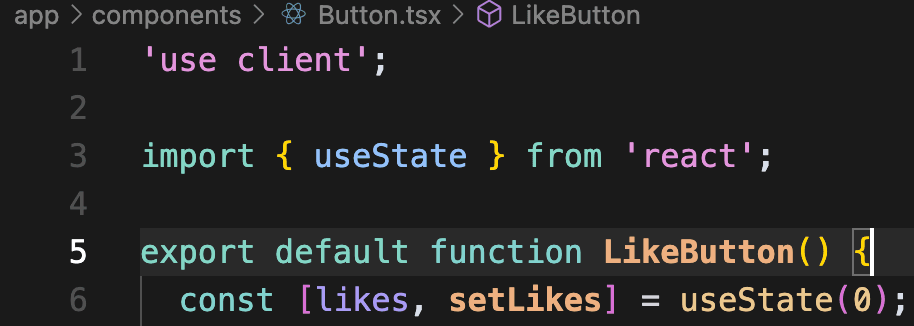
And the error is gone. All interactions now happen in the browser, with no page reload needed.
⚙️ When Do We Need Server Components?
In the following cases it's usually best to leave a component as a Server Component (which is the default anyway):
- Fetching data asynchronously (API calls, database queries): Anything that accesses data on the server needs a Server Component.
- Using environment variables (
process.env): Environment variables are only available on the server, so a Server Component is the safer choice here. - Rendering static HTML only: For pages without dynamic data or interactive elements, a Server Component speeds up page loads.
- No UI interaction needed: For pages that only display data and don't need user interaction, processing on the server gives faster, more efficient results.
This approach means less JavaScript, faster page loads, more secure code and better SEO.
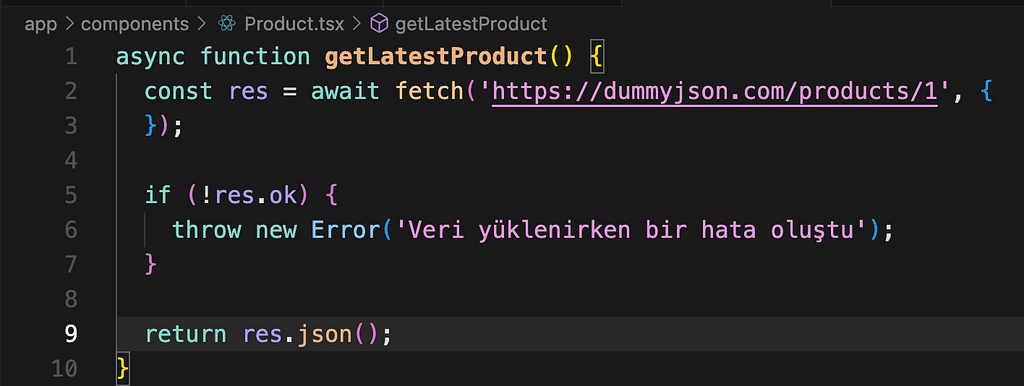
This component fetches data from the server and uses an async function. It has no direct interaction with the user, which makes it a Server Component candidate.
🚫 Keep Server-Only Work in Server Components
Be careful not to pull things like database connections, authentication or environment variables into client components. It creates a security risk.
With client-side rendering (CSR), all data is processed as JavaScript in the user's browser. That can let malicious users reach sensitive data by inspecting the page source or using developer tools. With Server Components, data is processed only on the server and never sent to the browser.
Properly masking or encrypting data can be hard with client-side rendering. With Server Components, only the data that's needed is sent to the client, and sensitive data stays hidden.
🔑 Interactivity and Talking to the Server
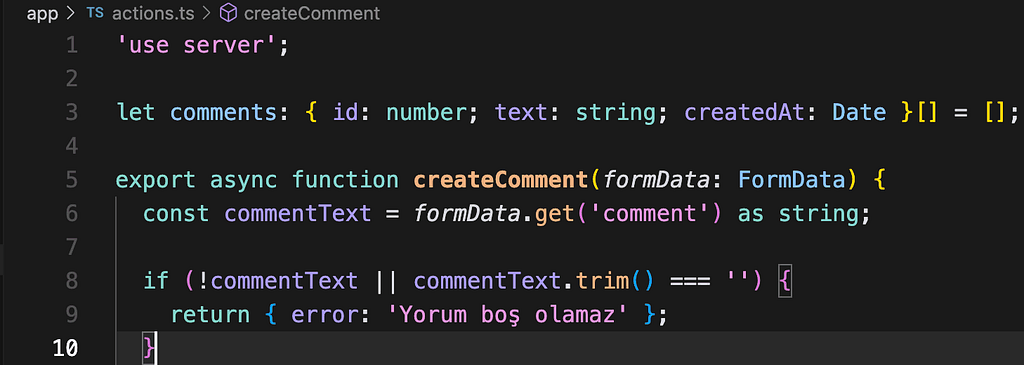
When using Server and Client Components in Next.js, interactions can also be handled on the server with Server Actions. That sends less JavaScript to the client, shortens page load times and improves security. Data is processed on the server, with no need for API endpoints. Forms keep working even with JavaScript disabled, which helps accessibility. Results can be shown without a page reload, and Optimistic UI updates are possible.
✨ Conclusion
Next.js 15 makes it possible to build faster, more secure web apps with Server and Client Components. Server Components optimize performance by sending only the data the browser needs, and they bring security benefits too. Paying attention to which components run on the server and which on the client makes an app more maintainable and more secure.
Happy, speedy coding! 🎉
Originally published in Turkish on Medium.